

How to Make Crypto Transactions
Cryptocurrency is significantly changing the way people send and receive money globally. But if you are new to this world, making your first crypto transaction can seem daunting. This blog is here to help you understand the process step-by-step — from choosing a coin to sending it safely.
For example, let’s say you want to send Bitcoin to a friend. You’ll need a crypto wallet, your friend’s wallet address, and enough Bitcoin to cover the amount and a small transaction fee. Sounds technical? Don’t worry — we’ll break it down simply so anyone can follow along.
What Are Crypto Transactions?
A cryptocurrency transaction occurs when you send or receive cryptocurrency — such as Bitcoin or Ethereum — using digital wallets.
It is just like sending money through a mobile app, but instead of using a bank, you are utilizing blockchain technology. Each transaction is recorded and cannot be changed.
Example:
Suppose you want to pay your friend ₹50,000 worth of Bitcoin.
You access your crypto wallet, enter their wallet address and amount, and tap “Send.”
The blockchain verifies the transaction and stores it in its permanent ledger.
That’s it! You have just made a crypto transaction — fast, direct, and without any middleman.
Detailed Steps to Make a Crypto Transaction
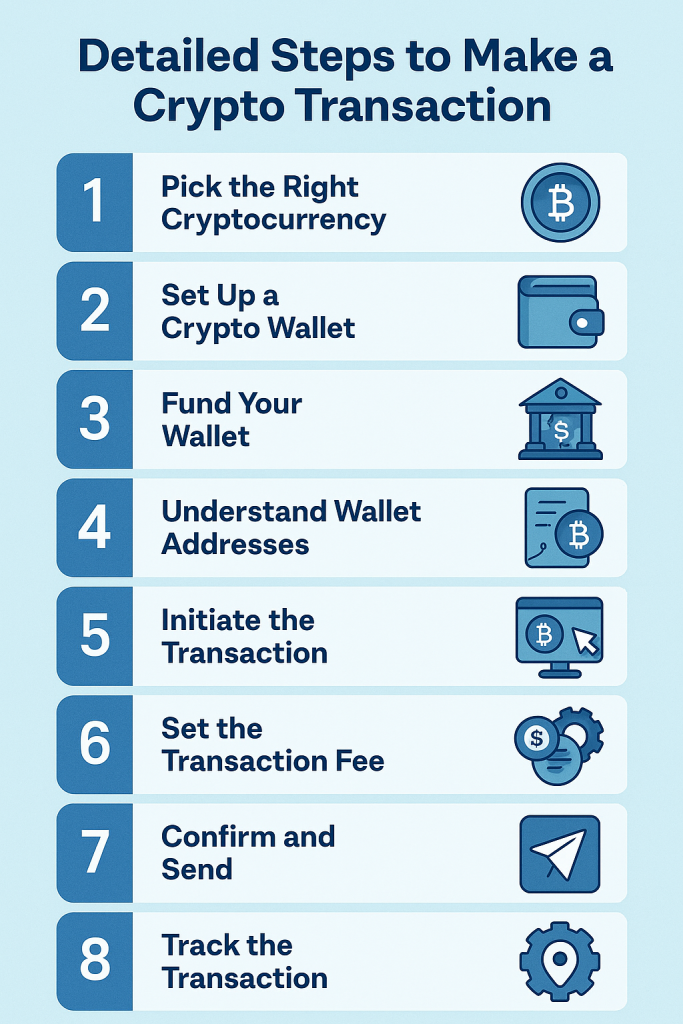
It is very easy and quick to transfer crypto from one account to another. Here are the quick steps one needs to follow-
Step 1: Pick the Right Cryptocurrency
The first step is to select which cryptocurrency you want to buy, after considering your personal purposes.
There are multiple digital coins present in the marketplace, and it is quite tough to determine which one to invest in.
Some of the most common cryptos are:
- Bitcoin (BTC) – the first crypto with global recognition
- Ethereum (ETH) – used for apps and smart contracts
- USDT or USDC – these are stablecoins, whose value stays close to $1
Different cryptocurrencies fulfill different purposes. Some are better for fast payments, others are more stable, and some are used mainly for investing.
Example:
If you are sending money to a friend, you might use Bitcoin or Litecoin.
Choose a cryptocurrency that is widely accepted and easy to buy.
Step 2: Set Up a Crypto Wallet
Now, you need a crypto wallet to send or receive cryptocurrency — Similar to your regular wallet that you use to hold cash.
A crypto wallet holds your digital coins and lets you make secure transactions.
There are two main types of wallets:
Hot Wallets – apps or websites connected to the network (quicker use)
Cold Wallets – offline devices like USB drives (very secure)
Example:
Individuals can download any crypto wallet of their choice.
You will get a ‘crypto wallet address’ when you create an account. You can use it to transfer cryptocurrency.
Step 3: Fund Your Wallet
At this stage, you need to add cryptocurrency to your crypto wallet.
There are two simple ways to do this:
- Purchase Crypto from an Exchange
- Use popular platforms like Coinbase, Binance, WazirX, or any famous exchange.
- Make an account, add money (using bank transfer or card), and buy your desired crypto.
- Then, transfer it to your wallet using your wallet address.
- Receive Crypto from Someone Else
- Share your wallet address (a long string of letters and numbers) with the sender.
- They can send you crypto directly into your wallet.
Example:
You use WazirX to buy ₹20,000 worth of Ethereum. After purchasing, you send it to your MetaMask wallet utilizing your wallet address. Now your wallet is funded and ready for transactions!
Check the wallet address twice before sending. Crypto coins sent to the wrong address can’t be reversed or rectified.
Step 4: Understand Crypto Wallet Addresses
A wallet address is like a crypto account number. It is required to send, receive, or trade cryptocurrencies. This address is a unique combination of numbers and letters. For example: 0x4F3c…A91b (Ethereum wallet)
Each cryptocurrency has different wallet addresses.
Nobody can send Bitcoin to an Ethereum address. It is essential to match the coin with the correct address.
Example:
Suppose your friend wants to send you Bitcoin.
What you have to do is access your wallet and tap on “Receive.” Copy your Bitcoin address cautiously. Share it with them – they can send the coins directly to your wallet.
Tips:
- Verify the address before using it
- Utilize the copy-paste function to avoid any mistakes
- Never type it manually — one wrong character can result in lost funds
Step 5: Commence the Transaction
Now, you are ready to send cryptocurrency to someone — this is called commencing a transaction.
Here’s how you can do it:
- Access your wallet app
- Tap on “Send”
- Enter the recipient’s wallet address
- Add the amount of digital coins you want to transfer
- Check all the details twice
Example:
Suppose you need to transfer $500 Ethereum to your relative. You need to access your wallet, paste their Ethereum address, enter $500 ETH, and tap “Send.”
Always check:
- You are sending the right coin (ETH to ETH address)
- The wallet address is correct
- You have enough balance, including the transaction fee
Once confirmed, your digital coin will be on its way to be transferred!
Step 6: Establish the Transaction Fee
You need to pay a small transaction fee every time you send cryptocurrency. This fee goes to the network (not the wallet app) to process and verify the transaction.
The charges rely on:
- The blockchain you are using (Ethereum, Bitcoin, etc.)
- How engaged the network is at the time
- How fast do you want the transaction to go through
Most wallets let you choose between:
- Low Fee – cheaper, but slower confirmation
- Medium Fee – balanced speed and cost
- High Fee – faster processing, more expensive
Example:
If you’re sending Ethereum, your wallet might show:
Low fee: ₹10 (may take longer)
High fee: ₹50 (faster confirmation)
You can select a low or medium fee for small or non-urgent transfers. Whereas, go with a higher fee for important or time-sensitive transactions.
Step 7: Confirm and Send Crypto
Your wallet will ask you to review all the details before making a crypto transaction — this is your final chance to make sure everything is correct.
Check:
- The recipient’s wallet address
- The amount of crypto you’re sending
- The transaction fee
- The sort of coin (Bitcoin, Ethereum, etc.)
If everything appears to be correct, tap “Send” or “Confirm”.
Your wallet may also ask for:
- A unique password or PIN
- Two-Factor Authentication
- Confirmation with hardware devices (if using a cold wallet)
Example:
You’re sending 0.005 BTC to a friend. You should check the address, confirm the amount, enter your PIN, and press “Send.” Your transaction is now on its way to the blockchain!
Step 8: Track the Crypto Transaction
Track the progress of your transaction; whether it was successful, or if not, when it gets confirmed.
Each transaction is stored on a public blockchain. You can utilize a blockchain explorer to review it.
Here is how:
- Copy your transaction ID or wallet address
- Go to a blockchain explorer like:
- Blockchain.com (for Bitcoin)
- Etherscan.io (for Ethereum)
- Paste the ID or address to view the status
You’ll see:
- Pending – it’s being processed
- Confirmed – it is finished and added to the blockchain
- Number of confirmations – the more, the safer
Example:
You send 0.01 ETH and get a transaction ID from your wallet. You paste it on Etherscan.io and see the status as “Confirmed with 3 confirmations.”
Tracking helps you know your crypto reached the right place, safely and on time.
Tips for Safe Transactions
It is very easy and quick to send and receive crypto — but staying safe is very important. Here are some simple advice to protect your virtual money:
Check the Wallet Address Cautiously
Always copy and paste the address. Don’t type it manually — one wrong letter can send your crypto to the wrong person forever.
Send a Small Test Amount First
If you are sending a large amount, try sending a small amount first to make sure it works.
Use Trusted Wallets and Apps
Only use well-known wallets that work well in your region. Avoid apps you have never heard of.
Preserve Your Recovery Phrase Safely
Remember or note your 12 or 24-word recovery phrase and save it safely. Never share it with anyone to prevent the theft of your crypto money.
Avoid Public WiFi
Do not utilize public WiFi to make digital money transactions. Utilize a protected internet connection to prevent hackers.
Watch Out for Scams
No one from a real crypto company will ask for your private key or recovery phrase. If someone does — it’s a scam.
Frequently Asked Questions
Q.1: How are crypto transactions made?
You need to add funds (cryptocurrency) to your wallet. Then, enter the sender’s wallet address and the amount, and tap ‘send’.
Q.2: How do I make crypto purchases?
Visit any crypto exchange and enter the amount you want to purchase crypto for. Choose the crypto type and review your order before confirming. Then, click on ‘buy now’ to complete your purchase.
Q.3: Can I buy crypto without a wallet?
Yes, you can buy crypto using a debit/credit card, Apple Pay, and Google Pay.


Latest News